Operate
Environment
Manage provider credentials, runtime variables, and the models available to builders.
Environment workspace
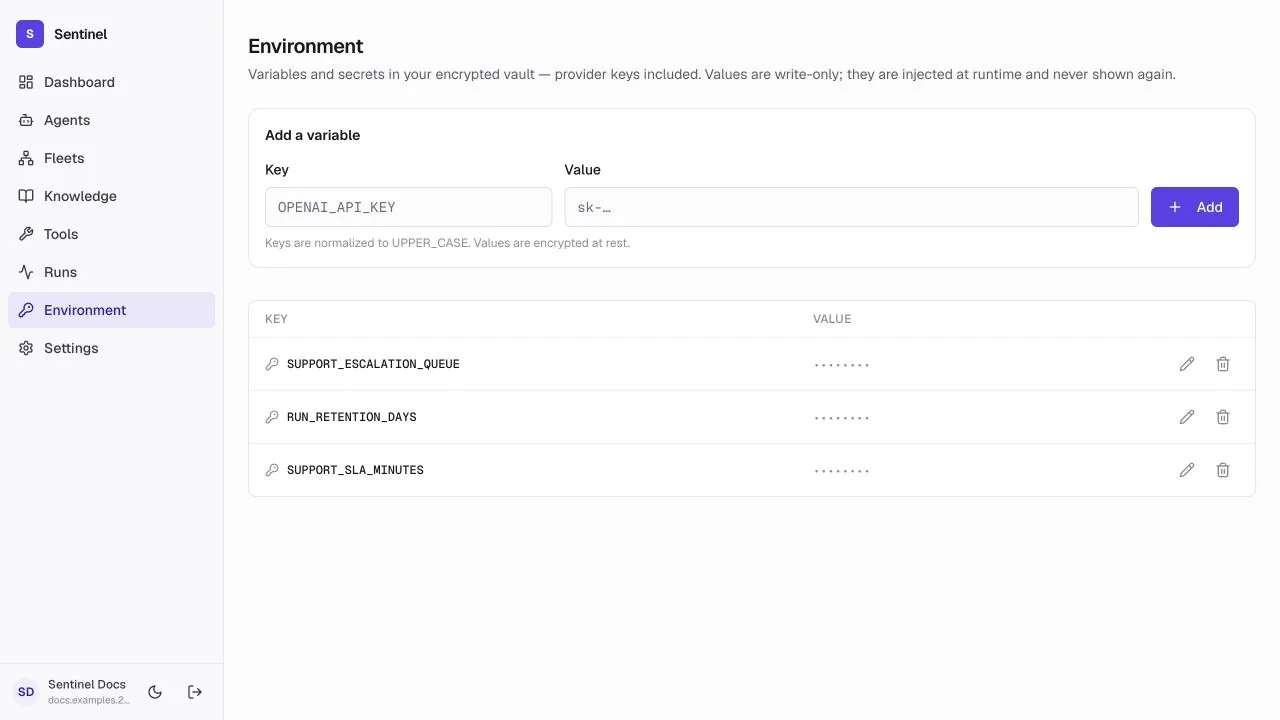
- 1Provider keysAdd or rotate credentials that unlock model catalogs.
- 2Runtime variablesStore non-provider values used by agents and tools.
- 3Write-only secretSaved secret values are never shown again.
- 4Availability stateConfigured status confirms a key exists without exposing it.
Provider keys
A provider key makes that provider's discovered models selectable in agent builders. Updating it affects future calls; existing run records keep the model identity used at execution time.
Runtime variables
Use descriptive names for values shared by prompts, tools, or workflows. Secrets are encrypted at rest and write-only after saving; deleting one can break any resource that depends on it.
Safe changes
- Add or rotate a key, then test the affected agent in Playground.
- Keep development and production credentials in separate deployments.
- Never paste secrets into prompts, screenshots, traces, or client-side code.
- Remove a value only after checking the agents, connectors, and workflows that use it.
Usage and health
Beyond the vault, the backend exposes infrastructure surfaces for capacity and cost planning (/infrastructure/usage, /infrastructure/health, /infrastructure/budget, /infrastructure/recommendations). These are not exposed in the UI yet — integrate them into your own monitoring and cost tooling. Watch spend against the configured budget, check health when runs start failing, and apply the recommendations that match your operating goals.