Examples
Example: build one production-level fleet
Build, test, audit, and publish a support-resolution workflow with structured gates and human review.
Mission and architecture
Production Support Resolution converts a customer request into either a grounded, audited response or a documented human-review package. It uses four deployed specialists and two deterministic quality gates.
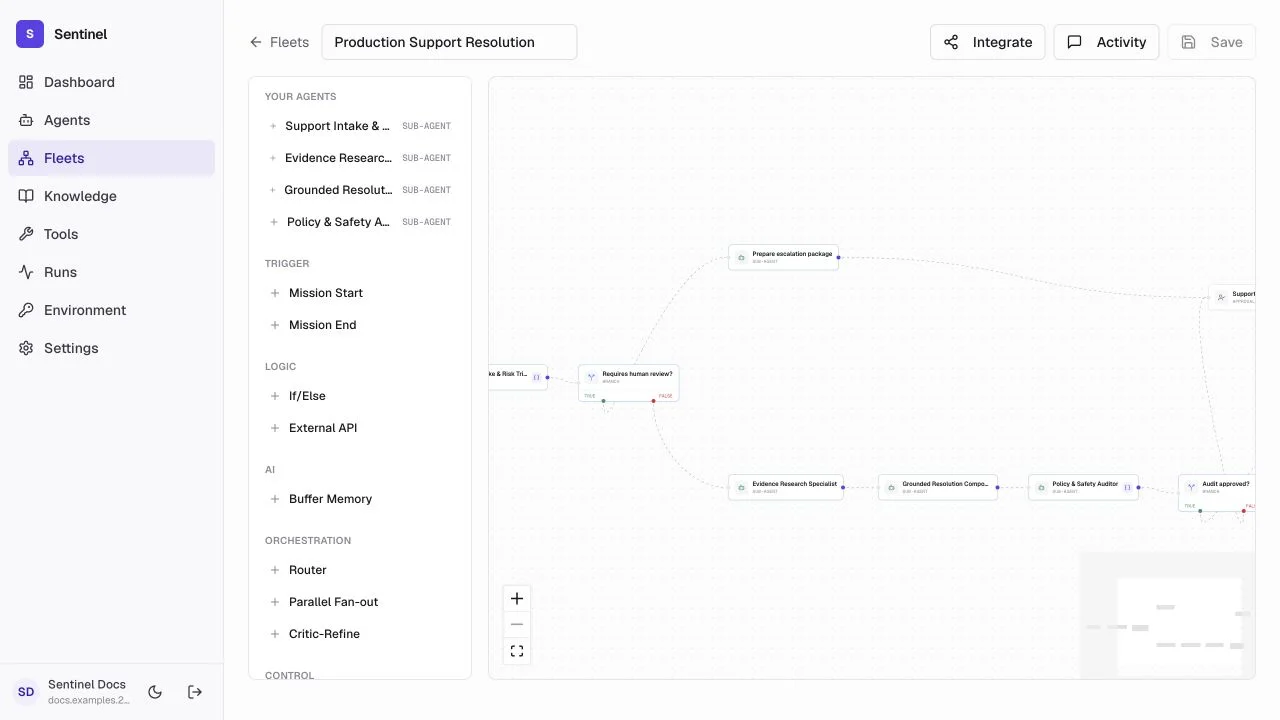
- 1Triage contractThe production agent from the previous example emits requires_human.
- 2High-risk branchCreate an escalation package and pause for approval.
- 3Grounded responseResearch and drafting stay separate so evidence can be inspected.
- 4Audit gateOnly approved output reaches the end automatically.
Build the canvas
- 1
Create the boundary
Create the fleet, then place Mission Start and Mission End. - 2
Add specialists
Add Support Intake & Risk Triage, Evidence Research Specialist, Grounded Resolution Composer, and Policy & Safety Auditor. - 3
Add controls
Add two If/Else nodes, an escalation-package transform, and a Human Approval node. - 4
Arrange and connect
Drag nodes into reading order, connect every output, connect both condition branches, then use Fit View.
Configure contracts
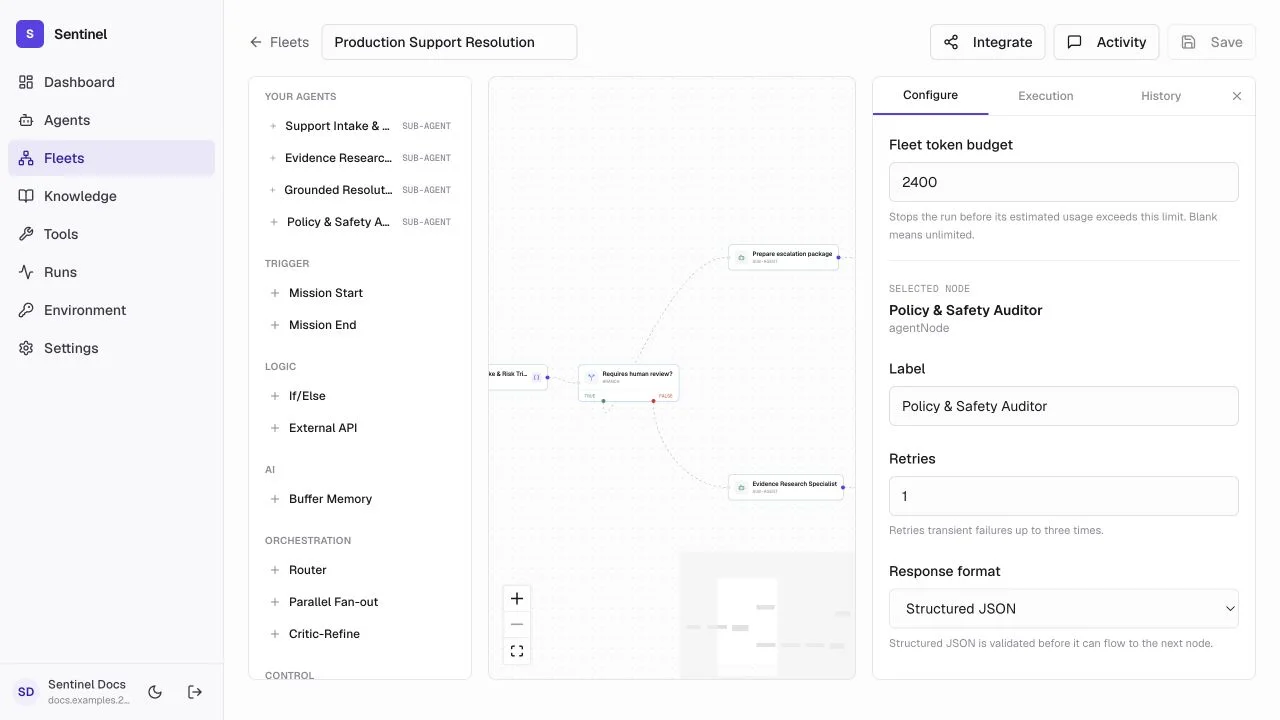
- 1Agent assignmentChoose the already-tested production specialist.
- 2Focused promptDescribe only this stage's responsibility and input.
- 3Response formatUse structured output when a later node reads fields.
- 4Reliability limitsBound retries and tokens so failure is visible and cost is controlled.
- Triage emits requires_human and confidence.
- The first condition branches on requires_human.
- The auditor emits approved, issues, and required_changes.
- The final condition branches on approved.
- Both exception paths reach Human Approval; no branch is unreachable.
Test in Playground
Open Playground in the fleet header. Run one routine request, one security-sensitive request, one missing-evidence request, and one response that the auditor must reject. Use Activity while the run is live to see the current node and any approval pause.
Audit and publish
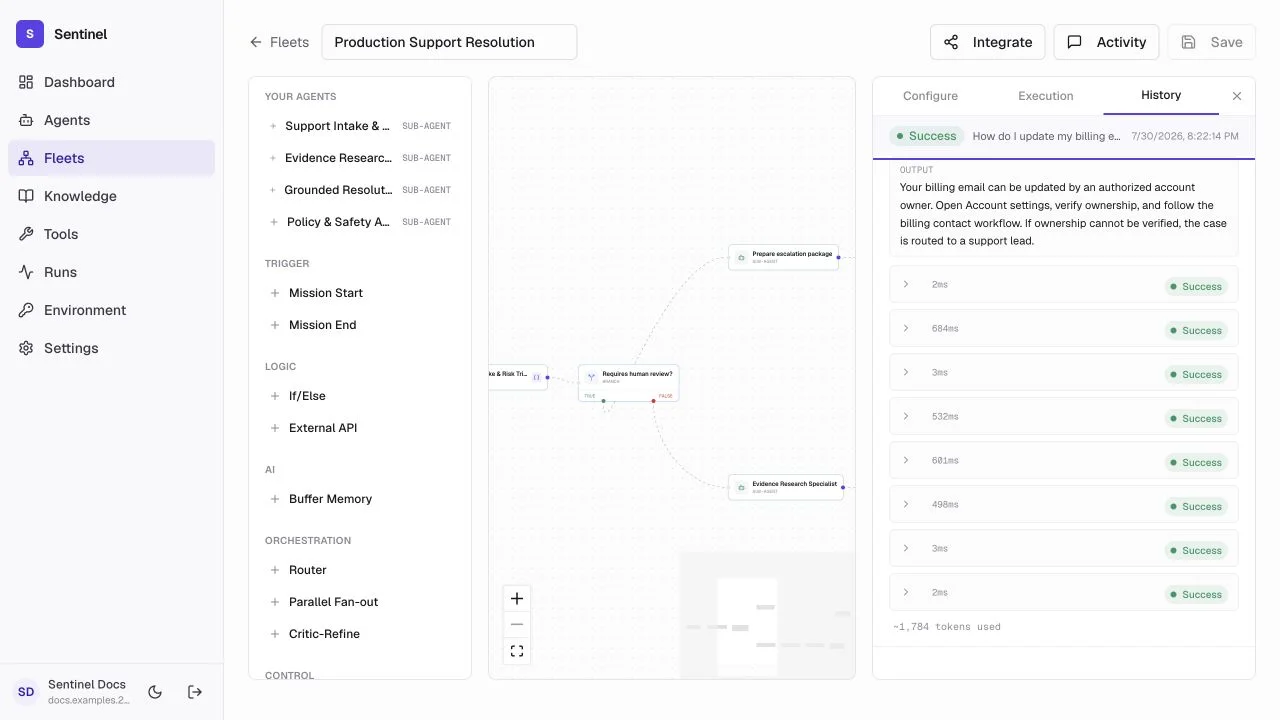
- 1Run recordStatus, start time, duration, and total tokens establish the outcome.
- 2Execution orderEvery agent and condition appears in the order it ran.
- 3Step evidenceOpen a step for inputs, structured output, errors, timing, and token use.
- 4IntegrateAfter readiness checks, save a version and create a scoped invocation key.
- 1
Inspect History
Confirm the first wrong step--not only the final answer--and compare branch fields with the node schema. - 2
Save a version
Record the tested configuration so later edits do not erase the known-good release. - 3
Check readiness
Confirm deployed agents, complete paths, budgets, approvals, and representative runs. - 4
Integrate
Use the generated endpoint and scoped key; retain the returned run ID for audit and support.