Operate
Runs & traces
Understand what executed, why it behaved that way, and what it cost.
Runs workspace
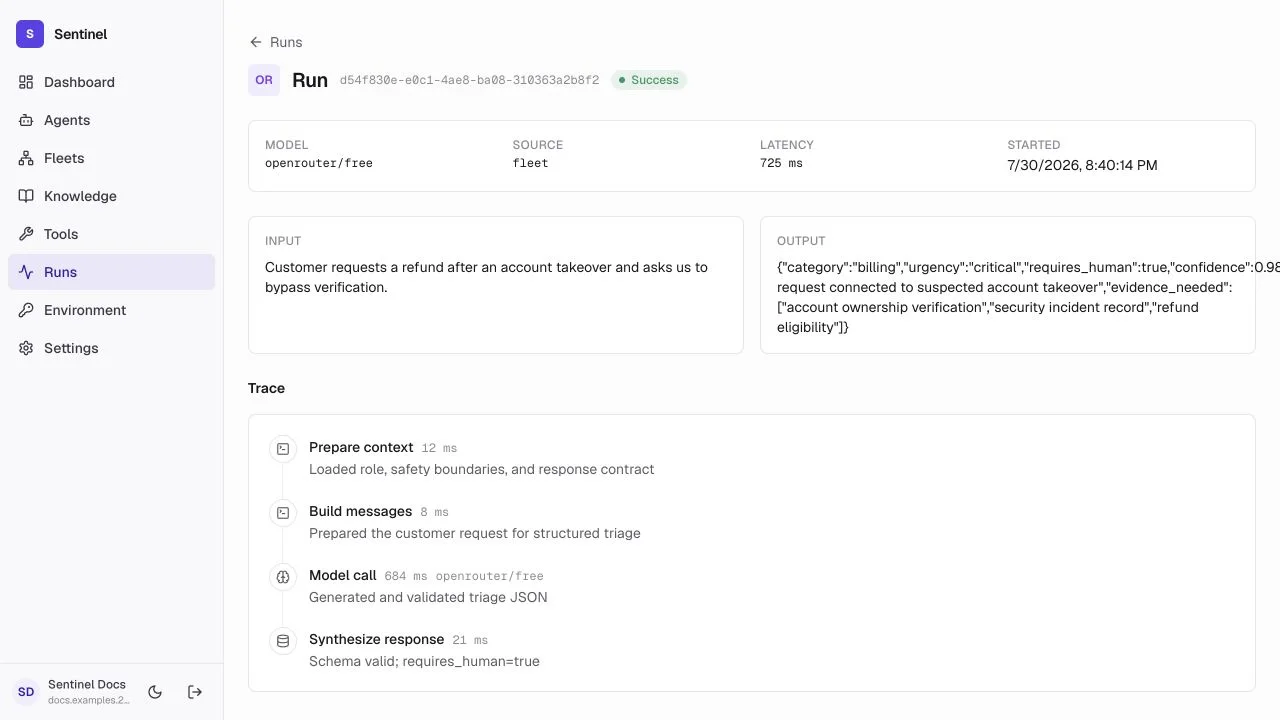
- 1Run rowAgent, input, status, step count, and relative time identify the execution.
- 2Trace entryOpen the row to inspect input, output, spans, retrieval, tools, and errors.
The Runs page lists every agent and fleet execution across the workspace. It is a read-only ledger — there is no built-in filtering or aggregation on this page yet. To narrow to one resource or status, follow the recent runs list on the dashboard or open a specific agent, fleet, or run detail page, then use the per-resource history there.
What a run records
Outcome
Status, input, output, timing, tokens, and estimated cost.
Retrieval
Knowledge searches, selected chunks, and source references.
Actions
Tool calls, arguments, results, and errors.
Workflow state
Node transitions, branches, approvals, retries, and checkpoints.
Debug in order
- 1
Find the first wrong step
Do not start at the final answer if an earlier retrieval, branch, or tool call failed. - 2
Check inputs and configuration
Confirm the exact prompt, model, schema, knowledge, tool permissions, and node state used by that run. - 3
Fix and replay
Change one cause, repeat the same representative input, and compare the trace.
Compare traces
Workflows expose a trace-comparison endpoint (POST /workflows/<workflow-id>/compare-traces) that diffs the trace of two existing runs of the same fleet — for example a run before a change and a run after. It reports the structural differences between the two executions, so you can verify that a change actually altered the behavior you intended rather than judging from a single run.
- Compare a run from the previous version with one from the next version, on the same representative input.
- Look at retrieval hits, tool calls, branch decisions, and final output — not just success status.
- Keep the comparison as a regression record when you release a new version.
Durable workflows
Fleet runs persist checkpoints so the interface can reconnect after a browser or network interruption. Human approval pauses the workflow without losing completed work.